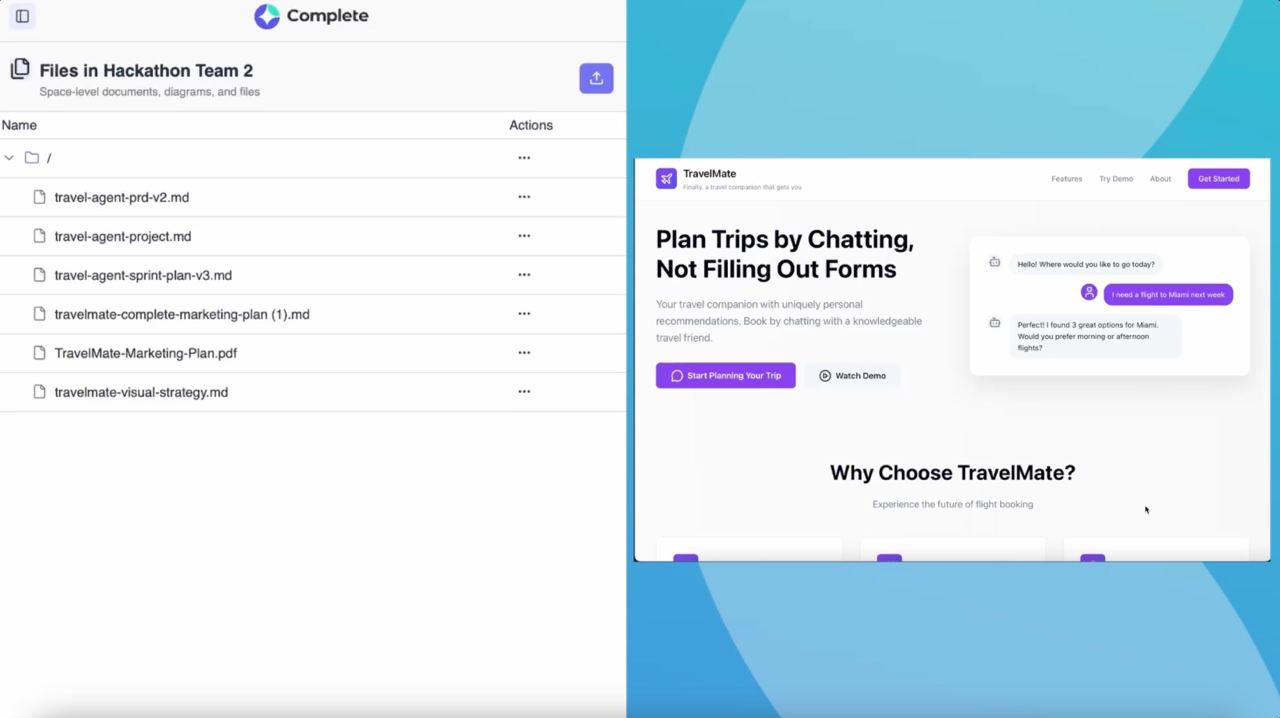
✦ What you'll build: TravelMate — a split-panel web app with AI chat on the left and flight results on the right. The AI agent collects trip details conversationally and searches real flights via Amadeus API. Fully deployed with a public URL.
Before You Start
PREREQUISITES
You should be comfortable with these concepts (agents will build everything, but you need to understand what's being created):
React basics — components, state, props
Node.js / Express — routes, middleware, environment variables
REST APIs and JSON responses
Basic terminal and command line familiarity
WHAT YOU'LL NEED
A Complete account with access to a channel
An Amadeus Developer account— sign up free at developers.amadeus.com. You'll need CLIENT_ID and CLIENT_SECRET
That's it — Complete handles Node.js, npm, ports, and deployment automatically
Phase 1 — Design & Scaffold the Application
Start a New Channel
Create a new channel for your project — e.g., #travel-agent-app. Think of the channel as your project room: all agents, files, and conversations live here.
Plan with @code Before Writing a Line
Don't jump straight to "build it." Start with a planning conversation. This gives the agent full context and avoids expensive course-corrections later.
💡 Planning Prompt: Start with architecture, not implementation. Example: "I want to build TravelMate — an AI travel agent. It should have a React frontend with a chat UI and flight results panel, Node/Express backend with Socket.io, and integrate Amadeus flight API. The AI agent should ask for origin, destination, dates, and passengers, then search flights. Can you propose a project structure and tech stack?"
The agent will respond with a suggested project structure, tech stack, and development phases. Review this and confirm — or redirect — before it writes any code. This is your architecture checkpoint.
Confirm Deployment Target
Before scaffolding, explicitly confirm the target environment. Complete runs apps on a VM with automatic port and URL assignment.
"Perfect. Before you scaffold, confirm: - Express backend runs on ports 3000-3100 - React frontend will be built and served as static files from Express (single port) - The app URL will be https://[OrgId].dev.complete.dev/[port] Does this match Complete's deployment model?"
"Perfect. Before you scaffold, confirm: - Express backend runs on ports 3000-3100 - React frontend will be built and served as static files from Express (single port) - The app URL will be https://[OrgId].dev.complete.dev/[port] Does this match Complete's deployment model?"
"Perfect. Before you scaffold, confirm: - Express backend runs on ports 3000-3100 - React frontend will be built and served as static files from Express (single port) - The app URL will be https://[OrgId].dev.complete.dev/[port] Does this match Complete's deployment model?"
The agent will confirm compatibility and explain its deployment strategy.
Scaffold the Project
Once you're happy with the plan, give the green light: "Looks great — go ahead and scaffold the project."
You'll see the agent working through its task list in real time. The initial scaffold creates:
travel-agent/backend/— Express server with Socket.io
travel-agent/frontend/— React app with Vite
Split-panel layout: ChatPanel (left) + FlightPanel (right)
Mock flight data for testing before API integration
Phase 2 — Deploy and Get a Live URL
Deploy the App
Tell the agent: "Build the frontend and start the server. Give me the live URL."
The agent will build the React frontend, start the Express server, and return your live URL. It looks like this:
🚀 App deployed successfully!
Frontend: Built with Vite (production mode) Backend: Running on port 3042 URL: https:
🚀 App deployed successfully!
Frontend: Built with Vite (production mode) Backend: Running on port 3042 URL: https:
🚀 App deployed successfully!
Frontend: Built with Vite (production mode) Backend: Running on port 3042 URL: https:
🎉 You now have a live app! Even with mock data, you can interact with the UI, test the chat interface, and see the split-panel layout working. This is the foundation everything else builds on.
Phase 3 — Polish the UI
Upgrade the Interface with shadcn/ui
Once the app is running, improving the UI is a one-liner: "Install and configure shadcn/ui. Update the UI with proper cards, buttons, and typography. Use a dark theme."
The agent will:
Install Tailwind CSS and configure shadcn/ui components
Rebuild the frontend with modern card and button components
Apply proper typography, spacing, and a dark-mode-ready color system
💡 Iteration tip: UI changes are instant. If you don't like something, just describe what you want changed: "Make the chat messages more compact" or "Use a purple accent color instead of blue."
Phase 4 — Build the AI Agent with @agent_builder
Brief @agent_builder
This is where your app goes from a nice UI to a genuinely intelligent product. Switch to @agent_builder and give it a complete brief.
"@agent_builder I need a travel agent that: 1. Greets users warmly: 'Hi! I'm TravelMate. Where would you like to fly?' 2. Collects required info through natural conversation: - Origin city (IATA code or city name) - Destination city (IATA code or city name) - Departure date (YYYY-MM-DD) - Number of passengers 3. If any info is missing, ask for it specifically: 'Which city are you flying from?' or 'How many passengers?' 4. Once all info is collected, call Amadeus Flight Offers API: - Endpoint: GET /v2/shopping/flight-offers - Docs: https://developers.amadeus.com/self-service/category/flights - Use CLIENT_ID and CLIENT_SECRET from .env file 5. Format results as JSON array with: - airline, flightNumber, departure, arrival, price, duration 6. If more than 10 results, return top 10 by price. 7. Handle errors gracefully: 'Sorry, I couldn't find flights. Try different dates?' Deploy the agent and integrate it with the backend Socket.io server."
"@agent_builder I need a travel agent that: 1. Greets users warmly: 'Hi! I'm TravelMate. Where would you like to fly?' 2. Collects required info through natural conversation: - Origin city (IATA code or city name) - Destination city (IATA code or city name) - Departure date (YYYY-MM-DD) - Number of passengers 3. If any info is missing, ask for it specifically: 'Which city are you flying from?' or 'How many passengers?' 4. Once all info is collected, call Amadeus Flight Offers API: - Endpoint: GET /v2/shopping/flight-offers - Docs: https://developers.amadeus.com/self-service/category/flights - Use CLIENT_ID and CLIENT_SECRET from .env file 5. Format results as JSON array with: - airline, flightNumber, departure, arrival, price, duration 6. If more than 10 results, return top 10 by price. 7. Handle errors gracefully: 'Sorry, I couldn't find flights. Try different dates?' Deploy the agent and integrate it with the backend Socket.io server."
"@agent_builder I need a travel agent that: 1. Greets users warmly: 'Hi! I'm TravelMate. Where would you like to fly?' 2. Collects required info through natural conversation: - Origin city (IATA code or city name) - Destination city (IATA code or city name) - Departure date (YYYY-MM-DD) - Number of passengers 3. If any info is missing, ask for it specifically: 'Which city are you flying from?' or 'How many passengers?' 4. Once all info is collected, call Amadeus Flight Offers API: - Endpoint: GET /v2/shopping/flight-offers - Docs: https://developers.amadeus.com/self-service/category/flights - Use CLIENT_ID and CLIENT_SECRET from .env file 5. Format results as JSON array with: - airline, flightNumber, departure, arrival, price, duration 6. If more than 10 results, return top 10 by price. 7. Handle errors gracefully: 'Sorry, I couldn't find flights. Try different dates?' Deploy the agent and integrate it with the backend Socket.io server."
✦ Why specificity matters: The more specific you are about conversation flow, API requirements, and edge cases, the better. Think of it as writing a job description — the agent will do exactly what you specify and nothing more.
Add Your Amadeus Credentials
Once @agent_builder creates the agent, you need to add two types of credentials to the .env file in the backend directory.
# backend/.env
# Amadeus API (for flight data)
AMADEUS_CLIENT_ID=your_amadeus_client_id
AMADEUS_CLIENT_SECRET=your_amadeus_secret

# LLM Provider (required for LangGraph agent)
# Choose ONE of these:

# Option 1:
OpenAI OPENAI_API_KEY=your_openai_key
# Option 2:
Anthropic ANTHROPIC_API_KEY=your_anthropic_key
# Option 3:
AWS Bedrock AWS_ACCESS_KEY_ID=your_aws_key
AWS_SECRET_ACCESS_KEY=your_aws_secret
# backend/.env
# Amadeus API (for flight data)
AMADEUS_CLIENT_ID=your_amadeus_client_id
AMADEUS_CLIENT_SECRET=your_amadeus_secret

# LLM Provider (required for LangGraph agent)
# Choose ONE of these:

# Option 1:
OpenAI OPENAI_API_KEY=your_openai_key
# Option 2:
Anthropic ANTHROPIC_API_KEY=your_anthropic_key
# Option 3:
AWS Bedrock AWS_ACCESS_KEY_ID=your_aws_key
AWS_SECRET_ACCESS_KEY=your_aws_secret
# backend/.env
# Amadeus API (for flight data)
AMADEUS_CLIENT_ID=your_amadeus_client_id
AMADEUS_CLIENT_SECRET=your_amadeus_secret

# LLM Provider (required for LangGraph agent)
# Choose ONE of these:

# Option 1:
OpenAI OPENAI_API_KEY=your_openai_key
# Option 2:
Anthropic ANTHROPIC_API_KEY=your_anthropic_key
# Option 3:
AWS Bedrock AWS_ACCESS_KEY_ID=your_aws_key
AWS_SECRET_ACCESS_KEY=your_aws_secret
⚠️ Hackathon Requirement: Currently, LangGraph agents require you to provide your own LLM API keys. Agent Builder will guide you through configuring your preferred provider (OpenAI is easiest to start with).
🔮 Coming Soon: Direct access to Complete's LLMs for LangGraph agents is in development. If you need this for your project, reach out to the Complete team in the hackathon Discord.
Phase 5 — Test and Iterate
Test the Full Flow
Open your app URL in a browser and try a full conversation:
🧪

Example Test Conversation

Agent: Hi! I'm TravelMate. Where would you like to fly?

You: I want to fly to Tokyo

Agent: Great choice! Which city are you flying from?

You: San Francisco

Agent: Perfect. When would you like to depart?

You: March 15, 2026

Agent: And how many passengers?

You: Just me, 1 passenger

Agent: Searching flights from San Francisco to Tokyo on March 15 for 1 passenger...

✈️ Found 10 flights
• JAL 001 - SFO→NRT - $850 - 11h 30m
• ANA 106 - SFO→HND - $920 - 11h 45m
• United 837 - SFO→NRT - $780 - 12h 10m
...and 7 more flights

The right panel updates with your selected flight. The agent has successfully:

Collected all required information through natural conversation

Called the Amadeus API with proper authentication

Parsed and formatted real flight data

Displayed results in both chat and the flight panel
🧪

Example Test Conversation

Agent: Hi! I'm TravelMate. Where would you like to fly?

You: I want to fly to Tokyo

Agent: Great choice! Which city are you flying from?

You: San Francisco

Agent: Perfect. When would you like to depart?

You: March 15, 2026

Agent: And how many passengers?

You: Just me, 1 passenger

Agent: Searching flights from San Francisco to Tokyo on March 15 for 1 passenger...

✈️ Found 10 flights
• JAL 001 - SFO→NRT - $850 - 11h 30m
• ANA 106 - SFO→HND - $920 - 11h 45m
• United 837 - SFO→NRT - $780 - 12h 10m
...and 7 more flights

The right panel updates with your selected flight. The agent has successfully:

Collected all required information through natural conversation

Called the Amadeus API with proper authentication

Parsed and formatted real flight data

Displayed results in both chat and the flight panel
🧪

Example Test Conversation

Agent: Hi! I'm TravelMate. Where would you like to fly?

You: I want to fly to Tokyo

Agent: Great choice! Which city are you flying from?

You: San Francisco

Agent: Perfect. When would you like to depart?

You: March 15, 2026

Agent: And how many passengers?

You: Just me, 1 passenger

Agent: Searching flights from San Francisco to Tokyo on March 15 for 1 passenger...

✈️ Found 10 flights
• JAL 001 - SFO→NRT - $850 - 11h 30m
• ANA 106 - SFO→HND - $920 - 11h 45m
• United 837 - SFO→NRT - $780 - 12h 10m
...and 7 more flights

The right panel updates with your selected flight. The agent has successfully:

Collected all required information through natural conversation

Called the Amadeus API with proper authentication

Parsed and formatted real flight data

Displayed results in both chat and the flight panel
Iterate Quickly
The real power of Complete is how fast you can iterate. Everything is in the channel — just keep talking to your agents.
The real power of Complete is how fast you can iterate. Everything is in the channel — just keep talking to your agents.
Want a UI change?
Tag @code and describe what you want: "Add a loading spinner when searching flights"
Want the agent to behave differently?
Tag @agent_builder with the updated requirement: "After showing flights, ask if they want to search hotels"
Something broken?
Describe the symptom and the agent diagnoses it: "The chat isn't scrolling to new messages"
Troubleshooting & Prompting Tips
STARTING A TASK
Lead with the goal, then the constraints. Avoid vague commands like "make an app" — give context on what it should do, who will use it, and how it connects to existing code.
Good: "Add a booking confirmation modal that appears when a user selects a flight. It should show flight details, total price, and 'Confirm' + 'Cancel' buttons."
Vague: "Add a modal"
Good: "Add a booking confirmation modal that appears when a user selects a flight. It should show flight details, total price, and 'Confirm' + 'Cancel' buttons."
Vague: "Add a modal"
Good: "Add a booking confirmation modal that appears when a user selects a flight. It should show flight details, total price, and 'Confirm' + 'Cancel' buttons."
Vague: "Add a modal"
CORRECTING MID-TASK
If the agent is going in the wrong direction, intervene immediately. Don't let it finish — course-correct as soon as you spot the issue.
"Stop. That's not what I meant. I want the modal to appear immediately after flight selection, not after clicking a separate 'Book' button. Can you revise?"
"Stop. That's not what I meant. I want the modal to appear immediately after flight selection, not after clicking a separate 'Book' button. Can you revise?"
"Stop. That's not what I meant. I want the modal to appear immediately after flight selection, not after clicking a separate 'Book' button. Can you revise?"
DIAGNOSING PROBLEMS
Describe symptoms, not solutions. The agent is better at diagnosing than you might think.
Good: "The flight panel isn't updating when I select a flight. The chat works fine but the right panel stays empty."
Less helpful:"Fix the Socket.io connection"
Good: "The flight panel isn't updating when I select a flight. The chat works fine but the right panel stays empty."
Less helpful:"Fix the Socket.io connection"
Good: "The flight panel isn't updating when I select a flight. The chat works fine but the right panel stays empty."
Less helpful:"Fix the Socket.io connection"
CHANGING AGENT BEHAVIOR
For @agent_builder modifications, be explicit about what should change and what should stay the same.
"Update the agent: after showing flights, ask 'Would you like to search for hotels near [destination]?' If yes, collect check-in/out dates and call the Amadeus Hotel API. Keep the existing flight search flow unchanged."
"Update the agent: after showing flights, ask 'Would you like to search for hotels near [destination]?' If yes, collect check-in/out dates and call the Amadeus Hotel API. Keep the existing flight search flow unchanged."
"Update the agent: after showing flights, ask 'Would you like to search for hotels near [destination]?' If yes, collect check-in/out dates and call the Amadeus Hotel API. Keep the existing flight search flow unchanged."
DEPLOYING AND GETTING A URL
Always ask explicitly for the URL. The agent won't always provide it automatically.
"Build the frontend, start the server, and give me the live URL."
"Build the frontend, start the server, and give me the live URL."
"Build the frontend, start the server, and give me the live URL."
What's Next?
You now have a live, AI-powered application. Here are some natural next steps to extend it:
Add hotel search — tell @agent_builder to search hotels at the flight destination after booking
Add booking confirmation animations — ask @code to implement a celebration animation on flight selection
Add multi-passenger support — update the agent to handle group bookings with passenger details
Connect a real booking API — replace Amadeus availability with a booking endpoint
Add authentication — ask @code to add a simple login flow to personalize results
Add payment integration — integrate Stripe for actual flight bookings
✦ Key insight: Each of these is a simple channel message away. The agents remember your codebase — they'll know exactly where to make changes without you having to explain the entire architecture again.
Key Takeaways
Plan before building — start with architecture conversations, not code
Be specific in agent briefs — conversation flow, API details, edge cases
Test incrementally — deploy with mock data first, then add real APIs
Iterate conversationally — agents understand context from previous messages
Use the right agent for the task — @code for implementation, @agent_builder for AI behavior
Diagnose with symptoms — describe what's wrong, let agents figure out the fix